- Kevin's Newsletter
- Posts
- New Title To Test
New Title To Test
🧠 USE CASE
Semantic Versioning Automation with GitHub Actions
In my early career, I used to wonder why software versions couldn’t just be simple numbers like 1, 2, 3, 4 instead of complicated ones like 1.2.3-alpha or 2.1.0-beta
Until I realized how crucial versioning is for managing compatibility, dependency updates, and communicating the impact of changes effectively.
Semantic Versioning (SemVer) isn’t just a numbering scheme; it’s a powerful tool for clarity and predictability in modern software development.
What is Semantic Versioning?
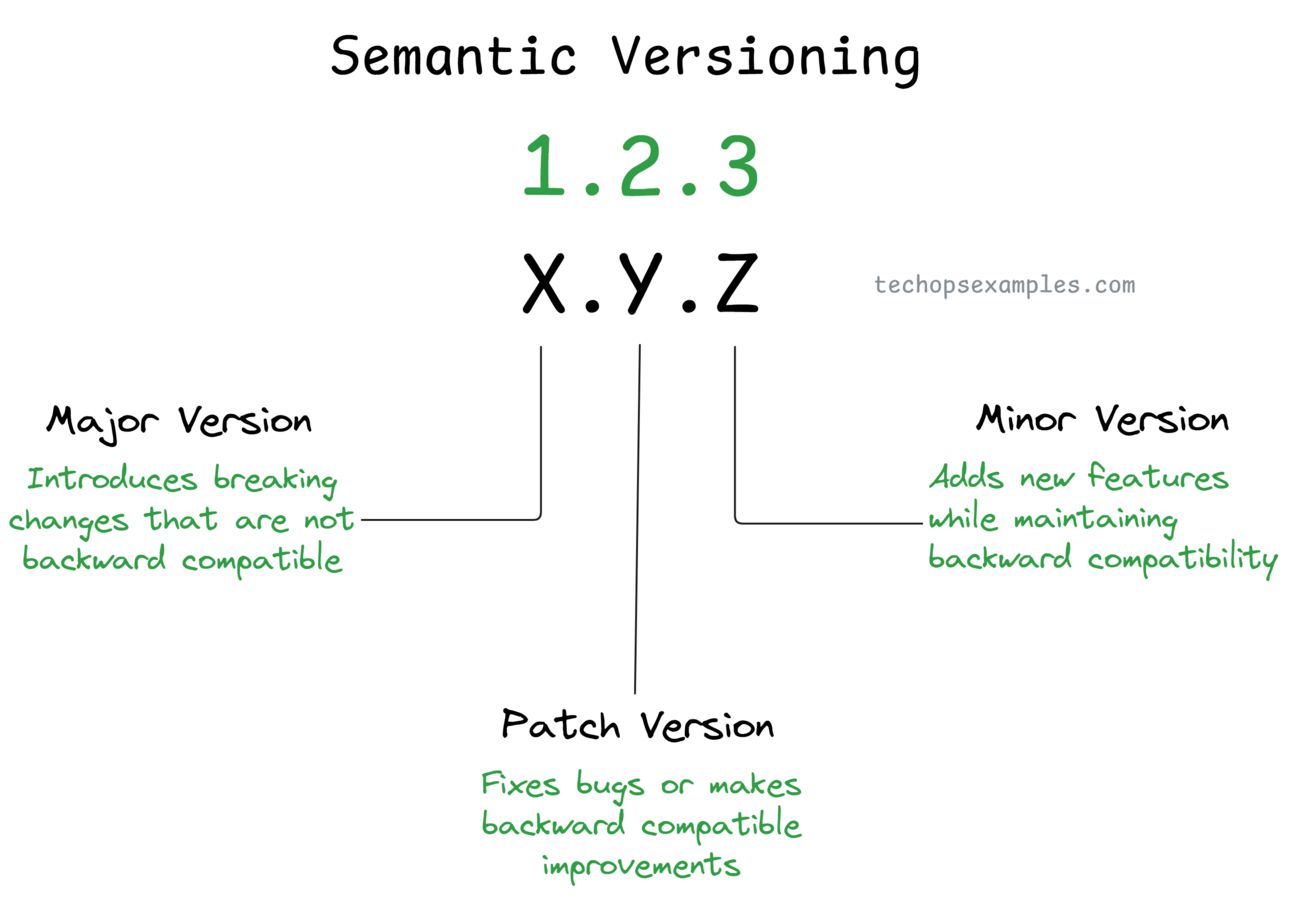
Semantic Versioning (SemVer) breaks down a software version into three distinct parts Major.Minor.Patch (X.Y.Z), each carrying a specific meaning:
Major (X): Breaking changes that require extra attention as they may affect compatibility. (Example:
1.x.xto2.x.xwhen APIs are restructured.)Minor (Y): Backward-compatible new features that add value without disrupting existing functionality. (Example:
1.2.0to1.3.0when new API methods are introduced.)Patch (Z): Bug fixes or minor improvements that maintain backward compatibility. (Example:
1.2.3to1.2.4for resolving a critical issue.)
Caveats in Semantic Versioning
Even though Semantic Versioning is powerful, there are potential pitfalls if not handled carefully:
Use Conventional Commits: Adopt a standardized commit message convention like Conventional Commits (
fix:,feat:,BREAKING CHANGE:).Automate Versioning: Always rely on automated tools like GitHub Actions to handle version bumps and tagging.
Pre-Release Strategy: Use pre-release tags (
1.0.0-beta) to clearly mark unstable or experimental versions.Documentation: Maintain a detailed
CHANGELOG.mdfile to document each release's changes. (standard CHANGELOG.md sample here)
Automating Semantic Versioning with GitHub Actions
Manual versioning can be tedious and prone to errors.
Here’s how to focus solely on automating versioning while delegating other tasks (like tests, builds, etc.) to separate steps.
name: Automate Semantic Versioning
on:
push:
branches:
- main
jobs:
semantic-versioning:
runs-on: ubuntu-latest
steps:
# Checkout the repository
- name: Checkout Code
uses: actions/checkout@v3
# Automate version bumping
- name: Bump Semantic Version
id: version
uses: anothrNick/[email protected]
env:
GITHUB_TOKEN: ${{ secrets.GITHUB_TOKEN } }
with:
release_branches: main
semver: true
custom_tag: true
# Push the tags
- name: Push Tags
run: git push --tags
# Other tasks like testing, building, releasing...
How the Workflow Works
Runs on every push to the
mainbranch.Uses
github-tag-actionto bump the version based on commit messages:fix: ...→ Patch release (e.g.,1.0.1)feat: ...→ Minor release (e.g.,1.1.0)BREAKING CHANGE: ...→ Major release (e.g.,2.0.0)
Automatically pushes updated tags to the repository.
Combine this workflow with Release Drafter to generate release notes for each new version automatically.
If you want to become a better cloud engineer, get used to minimalistic designs.
Better cloud engineers make things simple.
— Govardhana Miriyala Kannaiah (@govardhana_mk)
6:20 PM • Dec 1, 2024